AI Surf Coach: Personalized Feedback After Every Session
Gone Surfing's AI Surf Coach turns your session into a post-surf recap. It looks at waves, timing, positioning and paddling, then gives you one useful takeaway for the next surf.
What is an AI surf coach?
Gone Surfing's AI Surf Coach uses your wave count, wave timing, ride details, positioning and paddling metrics to generate a personalized recap with practical tips after your surf.
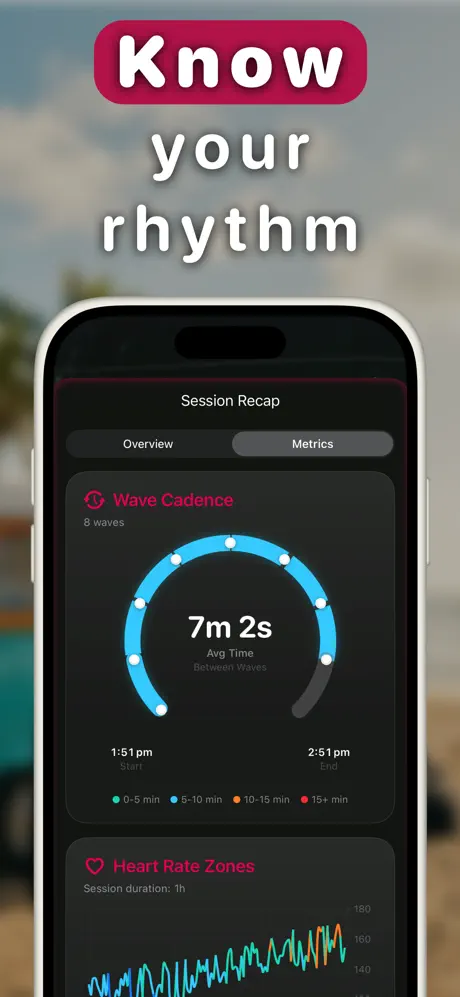
If wave cadence stretches out late in a session, check the map and ride starts. You may have drifted, changed peaks or simply slowed down. Pick one observation to take into the next surf.
What the AI coach analyzes
- Wave cadence: the timing gaps between your waves
- Positioning: where your rides started and how those locations moved during the session
- Ride details: wave length, duration and speed
- Effort: paddle workload and heart rate zones
- Progression: the trends in your surfing over time
How to use the AI Surf Coach
- Track your session with Gone Surfing on your Apple Watch. Wave detection runs automatically.
- End your surf and open the recap on your iPhone. Your AI Surf Coach summary appears with the session breakdown.
- Read the takeaway, pick one thing. Good coaching is one correction at a time: positioning, wave selection, or paddling economy.
- Explore Coach Insights in your charts. Tap into any stat chart for AI context on what the trend means and what to do about it.
- Carry the observation forward. Take one idea into your next surf and see what the next recap picks up.
It will not fix your bottom turn because it cannot see your technique. Use video or a human coach for that. Its strength is spotting patterns in timing, positioning, wave selection and conditioning that are easy to miss from memory.

Review Your Surf After Each Session
Personalized AI recaps built on your real session data. Free to download.
Download Gone Surfing