The Surf Tracker That Helps You Catch More Waves
Gone Surfing turns your Apple Watch into the most accurate wave counter and surf tracker. Automatic wave detection, GPS wave maps, live takeoff zone guidance and AI surf coaching, so every session makes you a better surfer.
From the App Store
What surfers say
US App Store rating: 5.0 out of 5 from 7 ratings. See all ratings and reviews →
Wave detection + takeoff guidance
Gone Surfing app has a nicely dialed sensitivity to track all my waves caught, and even inform me if I was in the takeoff zone!
Useful while you’re in the water
I love the “in-water” features, showing you how you’re doing, if I can push more or not, and how to get back to the peak!
Easy tracking and better progress
It’s helped me catch more waves and improve my paddling without overthinking it. Great for any surfer wanting to step up their game!
Screenshots
Every Wave. Every Paddle. Every Session.
From live stats on your wrist to GPS wave maps and fitness trends on your iPhone. See exactly what Gone Surfing tracks.
How it works
Paddle Out. We'll Handle the Rest.
No buttons to press in the water. No manual logging. Just surf.
Start on your wrist
Open Gone Surfing on your Apple Watch and tap start as you paddle out. GPS and motion tracking kick in automatically.
Surf — waves count themselves
Our dialed wave-detection algorithm counts every ride, even slow, small waves other apps miss, while live stats show on your wrist.
Get guided to the takeoff zone
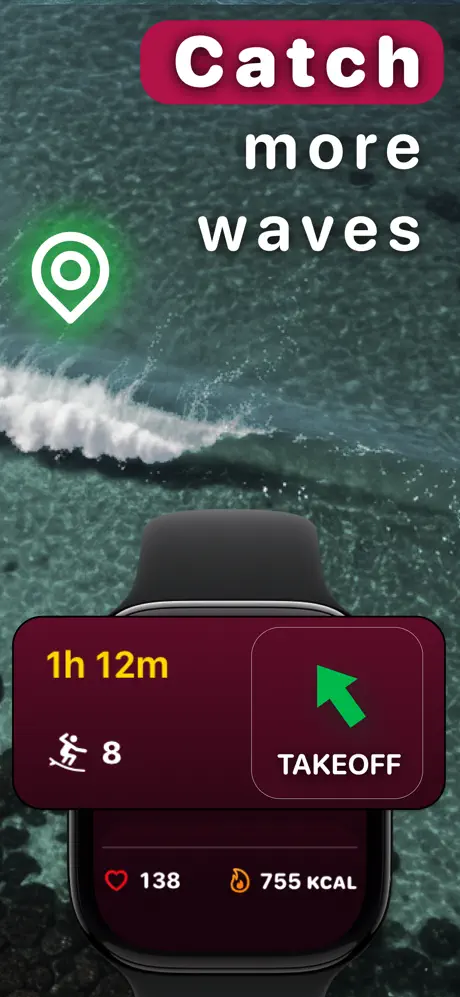
After each wave, your watch points you back to where the waves are breaking, so you paddle less and catch more.
Review, learn, improve
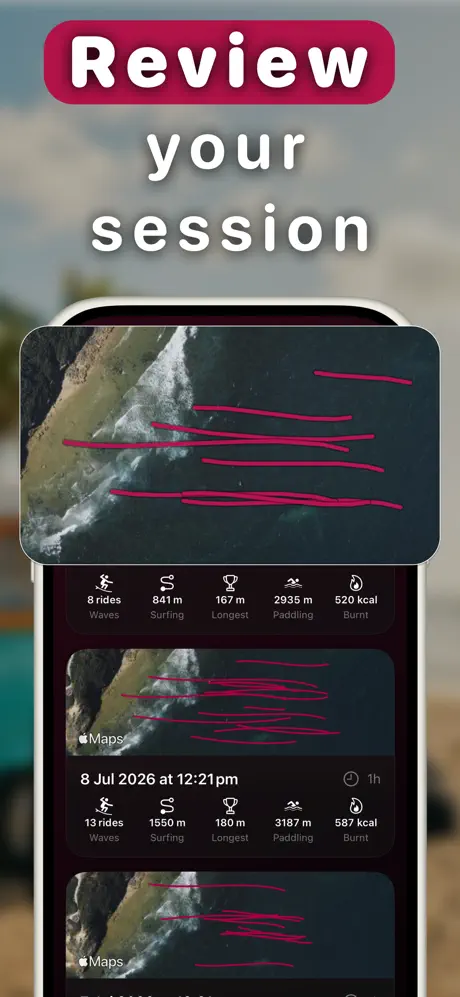
On your iPhone, replay every wave on a GPS map, read your AI Surf Coach recap, and watch your stats trend up session after session.
Why Gone Surfing
Built for Progression, Not Just Logging
The most accurate automatic wave counter on Apple Watch
Other surf tracking apps miss waves. Sometimes most of them. Gone Surfing's detection sensitivity is dialed to count every wave you ride, from slow rollers to overhead bombs.
- Automatic wave detection, nothing to tap in the water
- Counts slow and small waves other apps miss
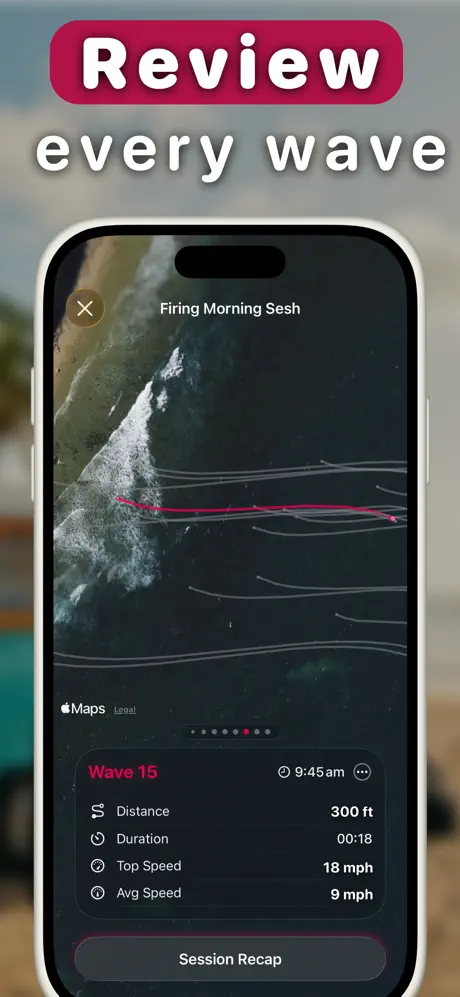
- Wave speed, distance and duration per ride
Takeoff zone guidance: catch more waves every session
The only surf watch app that actively helps you catch more waves. After every ride, Gone Surfing points you back to your takeoff zone so you're always sitting in the right spot when the next set arrives.
- Live directional guidance on your wrist
- Spend less time paddling, more time riding
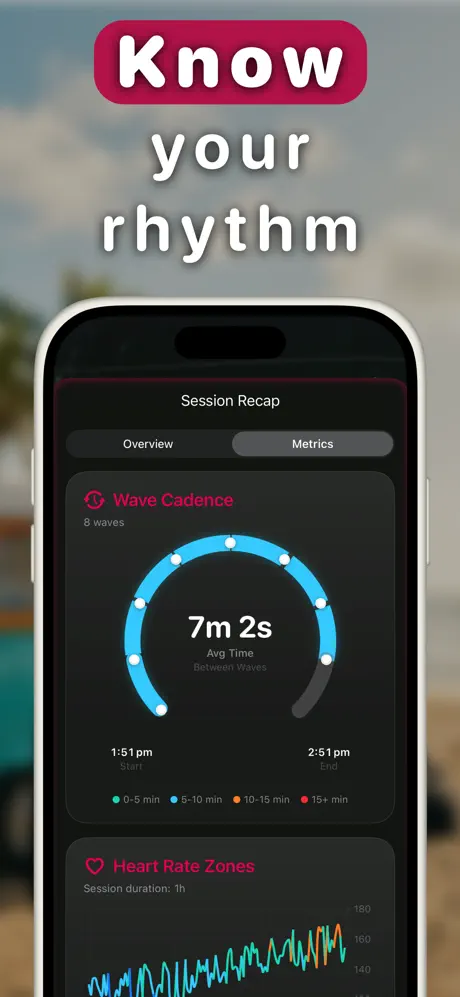
- Wave cadence insights show the rhythm of the lineup
AI Surf Coach + surf fitness analytics
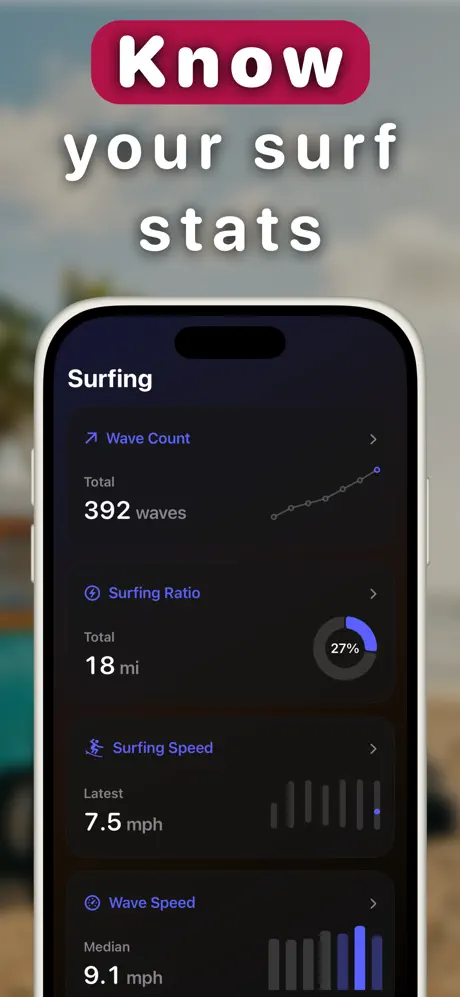
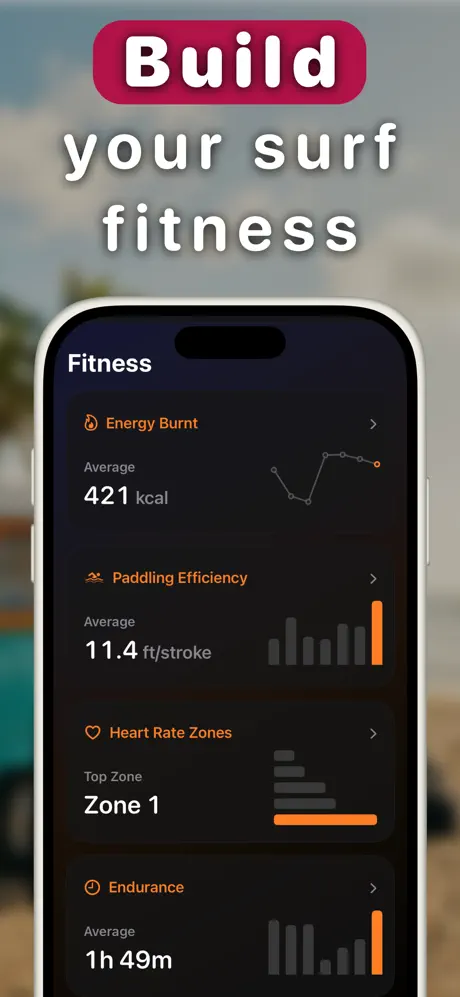
Get a personalized coaching recap after every surf, and track the fitness metrics that make you a stronger surfer: paddling efficiency, endurance, heart rate zones and calories.
- AI-generated session recaps with practical tips
- Paddling efficiency in feet per stroke
- Trends across weeks, months and all time
Surf Tracking Guides
Learn How to Track, Analyze & Improve Your Surfing
Practical guides on wave tracking, surf fitness and catching more waves with your Apple Watch.
Best Apple Watch Surf Apps for Wave Tracking (2026)
A source-backed comparison of Apple Watch surf tracking apps, with criteria, recommendations and links to official sources.
Read the guide → ComparisonDawn Patrol Alternative for Apple Watch
A factual side-by-side on wave detection, positioning cues, maps and pricing, including where Dawn Patrol still wins.
Read the guide → ComparisonApple Watch Workout App vs a Dedicated Surf App
What the built-in Surfing workout records, what it misses, and when a surf tracker is worth it.
Read the guide → ComparisonSurfline Alternative for Surf Session Tracking
Forecasts and session tracking are different jobs. Which app to use for wave counts, maps and surf stats.
Read the guide → Apple WatchSurf Tracker for Apple Watch: The Complete Guide
Everything you need to turn your Apple Watch into a full surf tracking watch: setup, tracking and stats.
Read the guide → Apple WatchApple Watch Ultra 4 Surf Tracking
What the Ultra 4's water rating, battery and GPS mean in the surf, and whether you need one to count your waves.
Read the guide → Wave CountingHow to Count Your Waves While Surfing (Automatically)
How automatic wave counters work, why apps miss waves, and how to count every single ride.
Read the guide → ProgressionHow to Catch More Waves: Positioning & Takeoff Zones
Why positioning beats paddling power, and how takeoff zone guidance can help you return toward the takeoff area.
Read the guide → GPS MappingSurf GPS Tracker: Map Your Waves and Paddle Routes
See your waves drawn on a satellite map. Distance, speed and paddling routes explained.
Read the guide → Automatic LogAutomatic Surf Log for Apple Watch
How to capture every session automatically, from wave count and GPS maps to fitness and coaching notes.
Read the guide → FitnessSurf Fitness: Track & Build Paddle Endurance
The metrics that matter for surf fitness: heart rate zones, endurance and paddling efficiency.
Read the guide → PaddlingPaddling Tracker: Distance, Strokes & Efficiency
What paddle distance, stroke count and efficiency tell you about the work behind a surf.
Read the guide → AI CoachingAI Surf Coach: Personalized Feedback After Every Surf
How the AI Coach turns timing, positioning and paddling data into one useful takeaway after a surf.
Read the guide → ReferenceWetsuit Thickness by Water Temperature
Enter the water temperature in °C or °F and see what Rip Curl's and O'Neill's charts recommend, accessories included.
Read the guide →FAQ
Frequently Asked Questions
What are the best Apple Watch surf apps?
Gone Surfing leads our Apple Watch surf app comparison for wave counting and in-session positioning, with Dawn Patrol, Surfline Sessions and Apple's Workout app compared job by job. Learn more →
Does the Apple Watch track surfing?
Yes. With Gone Surfing, your Apple Watch becomes a dedicated surf tracker. It automatically detects every wave you ride, counts your waves, measures surfed and paddled distance, tracks heart rate and calories, and maps your whole session with GPS. No buttons to press in the water. Learn more →
How does the automatic wave counter work?
Gone Surfing uses your Apple Watch's GPS and motion sensors with a finely tuned detection algorithm that recognizes the burst of speed and direction of a ridden wave. It counts every wave automatically, including slower, smaller waves that other surf apps often miss. Learn more →
How can a surf app help me catch more waves?
Gone Surfing gives you real-time takeoff zone guidance on your wrist. After you ride a wave, your watch points you back to the exact spot where the waves are breaking, so you spend less time paddling around searching and more time in position for the next set. Learn more →
Can I see a GPS map of the waves I surfed?
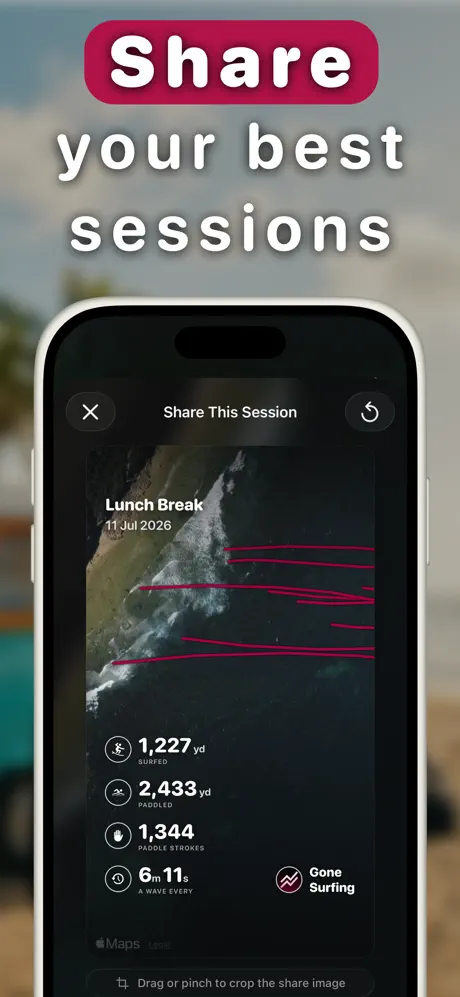
Yes. Every session is mapped over satellite imagery. Each wave is drawn as its own line. Tap any wave to see its distance, duration, top speed and average speed, plus your full paddling route around the lineup. Learn more →
What is the AI Surf Coach?
After each surf, the AI Surf Coach analyzes your session data (wave count, timing between waves, positioning, paddling and heart rate) and gives you a personalized recap with clear, practical tips for your next session. Learn more →
Does Gone Surfing track paddling distance and strokes?
Yes. Gone Surfing tracks paddle distance, paddle strokes, paddle speed and paddling efficiency (feet per stroke), plus your surfing-to-paddling ratio, so you can measure and build real paddle fitness over time. Learn more →
Can I use Gone Surfing as a surf fitness tracker?
Absolutely. Gone Surfing tracks calories burned, heart rate zones, endurance and paddling efficiency across sessions, and charts your fitness trends over weeks and months. Every session saves to Apple Health as a workout. Learn more →
Can I keep a log of all my surf sessions?
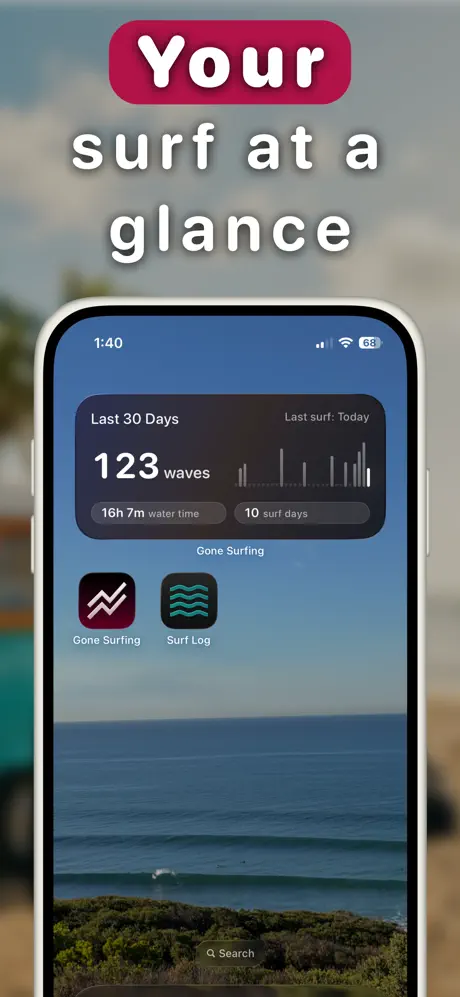
Yes, every surf is saved automatically with its wave map, stats and recap, building a complete surf log over time. A home screen widget shows your last 30 days of waves, water time and surf days at a glance. Learn more →
Is Gone Surfing free?
Gone Surfing is free to download and use for surf tracking. Pro features like advanced analytics and AI coaching are available with an optional subscription. Start tracking for free →
Which Apple Watch and iPhone do I need?
Gone Surfing requires an Apple Watch on watchOS 10+ paired with an iPhone on iOS 17+. Any water-resistant Apple Watch (Series 6 and newer, SE, or Ultra) works great in the surf. Learn more →
Will surf tracking drain my Apple Watch battery?
Efficient GPS and sensor sampling comfortably handles multi-hour surfs, including all-morning dawn patrols, on a single charge. Learn more →

Your Next Breakthrough Session Starts Here
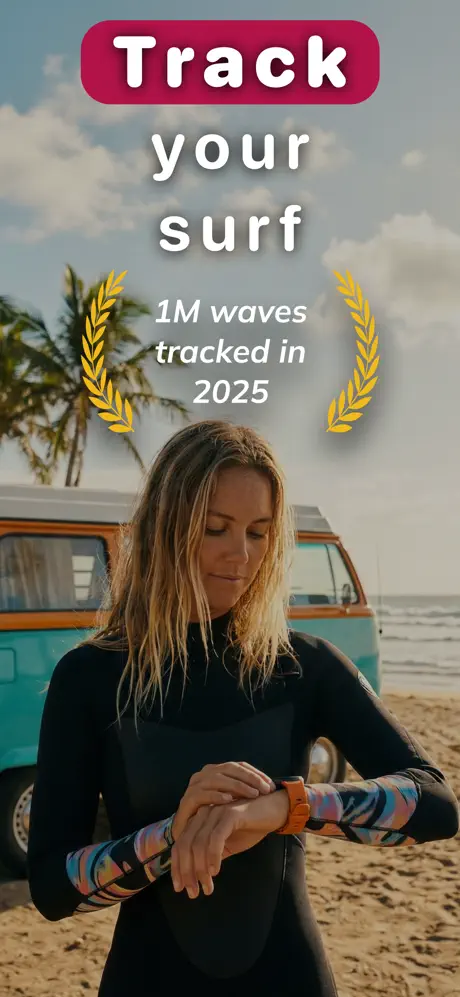
Join the surfers who tracked over 1,000,000 waves in 2025. Free to download.