Surf GPS Tracker: Map Your Waves and Paddle Routes
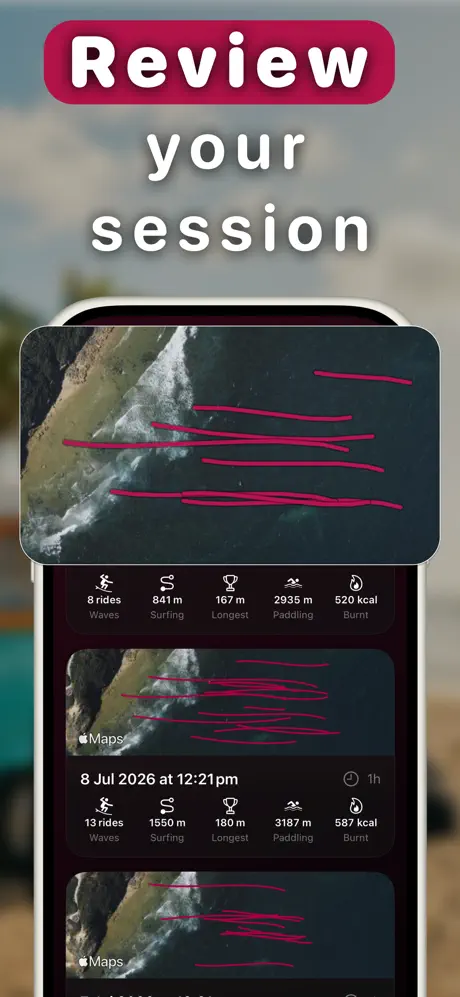
Gone Surfing uses Apple Watch GPS to draw your wave lines and paddle routes. On iPhone, you can see where rides started, how far they ran and how fast you went.
What does a surf GPS tracker show?
Your session map has two useful layers:
- Wave lines: each ride drawn on the map with distance, duration, top speed and average speed
- Paddle routes: the paddle-outs, drift and repositioning between waves
The map separates your rides from the movement between them, so you can see the line of the surf and the work between waves.
How to map your surf session
- Start Gone Surfing on your Apple Watch before paddling out. GPS recording is automatic from there.
- Surf. No check-ins and no phone in the water. The watch records the session.
- Open your iPhone after the session. Wait for the session to sync, then open the wave map.
- Tap a wave line to highlight it and see that ride's stats, or swipe through waves in the Wave Carousel.
- Share it. Generate a shareable session card with your wave map and key stats to send to your crew.
How to read your wave map
1. Look at where waves start
A tight group of ride starts shows that you were taking off from roughly the same area. Scattered starts show that you moved around the lineup. Gone Surfing uses those points to provide a positioning cue between waves.
2. Look at your paddle routes
Long paddle loops make drift and repositioning visible. If the route keeps running back toward the peak, pay attention to where you sit before the next set.
3. Compare wave length and speed
Comparing ride lines shows where longer or faster waves started. Look at those lines with the conditions, wave count and positioning in mind.
GPS accuracy tip: GPS can wobble in open water. Ignore an obvious speed spike or strange line; the map is most useful for the overall path and where rides started.

See Your Surf on the Map
GPS wave maps, per-wave stats and shareable session cards. Free to download.
Download Gone Surfing