How to Catch More Waves: Positioning Beats Paddle Power
Catching more waves often comes down to getting back to the part of the lineup where your rides started. Gone Surfing uses those recent takeoff points to guide you back in that direction on Apple Watch.
Why you're not catching enough waves
Paddle fitness and crowds are not the only reasons a session feels quiet. Drift from currents, rips and duck-diving can move you away from the peak between waves. From the water, the shoreline can look the same even when your position has changed.
The result: you paddle for waves that fatten out in front of you, get caught inside by sets breaking behind you, and burn your energy repositioning instead of riding.
The takeoff zone is a real, findable place
At any break, waves consistently stand up and peel from a relatively small area: the takeoff zone. Good surfers triangulate it with landmarks. But landmarks fail when you're duck-diving, when it's a shifting beach break, or when the light is flat at dawn.
As you catch waves, your Apple Watch marks where rides started. Those points give you a live reference for the takeoff area in that session's conditions.
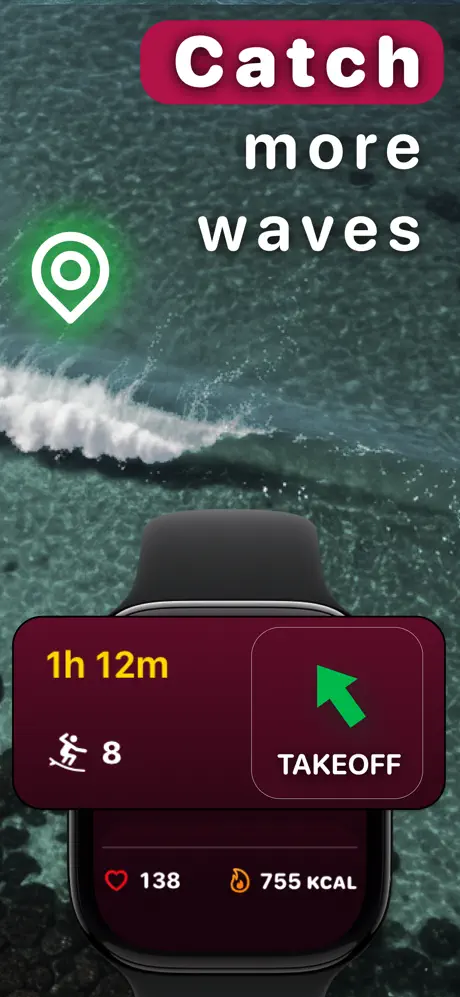
How takeoff zone guidance works in Gone Surfing
- Start your session on your Apple Watch and surf as usual.
- Gone Surfing learns the zone. As you catch waves, the app maps where rides actually start.
- Kick out, glance at your wrist. A live directional arrow points back toward the area where your rides started.
- Use the cue as you reposition. Paddle in that direction while allowing for the conditions and other surfers in the lineup.
Use your data to catch more waves next session
- Longer gaps between waves: check whether your start points drifted.
- Surfing ratio: see how much time went into riding versus paddling.
- Wave map: check whether takeoff points clustered or moved around.
- AI Surf Coach: after each surf, get personalized tips based on your actual timing, positioning and paddling data. Learn how the AI coach works.
Use the arrow after your next ride: glance at the direction, pick a landmark and paddle back toward the takeoff zone before the next set.

Find Your Way Back to the Takeoff Zone
Real-time takeoff-zone guidance on Apple Watch. Free to download.
Download Gone Surfing