Apple Watch Workout App vs a Dedicated Surf App
Your Apple Watch already has a Surfing workout type built in. It is free, it is on your wrist right now, and for a lot of surfers it is genuinely enough. Here is what it does, what it does not, and where the line sits.
Short answer
Apple's built-in Surfing workout records duration, heart rate and estimated calories. It does not count waves, does not map your rides, and does not measure paddling. If you want the session to close your rings and land in Apple Health, the built-in app is enough and you should not pay for anything. If you want to know how many waves you caught, where you sat, and how far you paddled, that data does not exist in the Workout app and no setting will produce it.
What the built-in Workout app records
Apple Watch includes a Surfing workout type. Start it before you paddle out and it captures:
- Session duration
- Heart rate, including average and maximum
- Estimated active and total calories
- Water Lock, enabled automatically on water workouts
- A workout entry saved to Apple Health, counting toward your activity rings
That is a real, useful record. It answers "did I move today" and "how hard was that session" perfectly well.
What it does not record
The Workout app is a general fitness tool with a surfing label. It is not analysing the water. So it cannot tell you:
- How many waves you caught. There is no wave detection. The watch does not distinguish a ride from a paddle.
- Where you rode. No map of individual waves, no ride lines, no takeoff points.
- How far or how efficiently you paddled. No stroke count, no distance per stroke.
- Ride speed or distance. Not captured per wave.
- Where you were sitting relative to the peak. No positioning data during or after.
- How this session compares to your last twenty. No surf-specific trends.
None of this is a flaw in Apple's app. It is doing the job it was designed for. Wave detection requires continuously analysing GPS and accelerometer data against models of what a ride looks like, which is a different product.
Side by side
| Capability | Apple Workout app | Dedicated surf app (Gone Surfing) |
|---|---|---|
| Cost | Free, already installed | Free to download, with an optional Pro subscription |
| Session duration and heart rate | Yes | Yes |
| Calories | Yes | Yes |
| Saves to Apple Health | Yes | Yes |
| Automatic wave count | No | Yes |
| GPS map of each ride | No | Yes, wave lines and paddling routes on satellite imagery |
| Per-wave speed and distance | No | Yes |
| Paddle strokes and efficiency | No | Yes, including feet per stroke |
| Real-time takeoff zone guidance | No | Yes |
| Session recap and trends | Basic workout history | Surf-specific recap, AI Surf Coach, trends across sessions |
| Setup effort | None | Install, grant permissions, start the workout |
The honest test: does the extra data change anything?
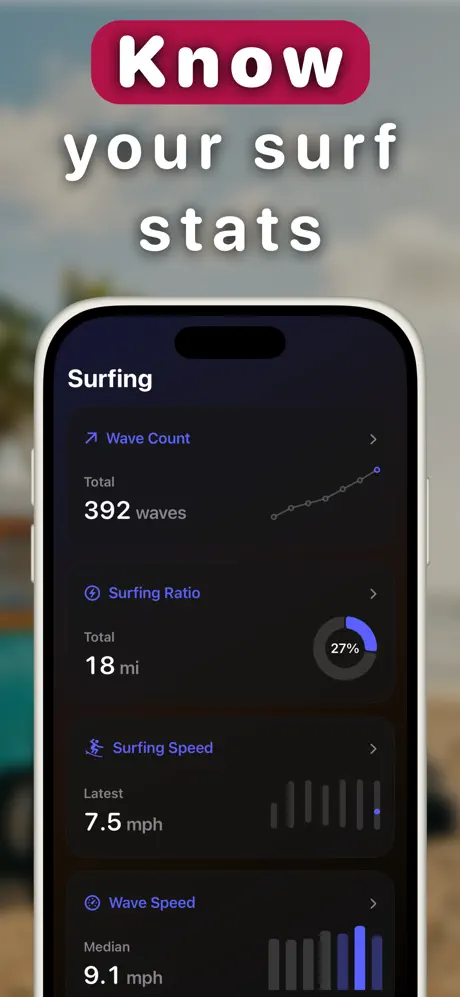
Extra data is only worth having if it changes something. So it is worth asking honestly what you would do differently.
Wave count is the obvious one, and it is more useful than it first appears. Most surfers substantially misremember how many waves they caught, and the count reframes a session you thought was bad. More usefully, over a few months it shows which conditions, tides and spots actually produce waves for you rather than which ones you enjoy talking about.
The session map is where positioning problems become visible. Seeing your paddling route drawn out tends to reveal that you spent the session drifting twenty metres off the peak, which is not something you notice from the water.
Paddling data matters most if you are training. Distance per stroke is a reasonable proxy for paddle technique, and it is one of the few surf metrics that responds to deliberate practice.
If none of that sounds like it would change how you surf, the built-in Workout app is the right call. Genuinely.
Who should choose what
Use the built-in Workout app if
- You want the session to count toward your rings and appear in Health
- You surf the same familiar break and are not trying to change anything
- You do not want another app, another subscription or another setup step
- You surf for the surf, and data would take something away from it
Add a dedicated surf app if
- You want to know your actual wave count rather than your estimate
- You are working on positioning and want to see where you sat
- You are building paddle fitness and want strokes, efficiency and endurance trends
- You surf unfamiliar breaks and want help finding the takeoff zone
- You want to review sessions afterward and spot patterns over time
Can you run both?
There is no reason to. A dedicated surf app records the same duration, heart rate and calorie data and saves the session to Apple Health, so you keep your rings and your workout history. Running two workouts at once competes for sensors and battery without adding anything.
If you try a surf app and decide it is not for you, deleting it puts you back exactly where you started, with the built-in Surfing workout still there.
Sources checked
Links verified 29 July 2026.

See what your watch has been missing
Same watch, same paddle out, with every wave counted and mapped. Free to download, so you can decide after a session or two.
Download Gone Surfing